> For the complete documentation index, see [llms.txt](https://docs.garuda-defi.org/llms.txt). Markdown versions of documentation pages are available by appending `.md` to page URLs; this page is available as [Markdown](https://docs.garuda-defi.org/products/p2p.md).
# P2P
Garuda DeFi **Peer-to-Peer (P2P)** allows users to trade directly with each other : no slippage, low fees, and customizable deals. Every transaction are executed by smart contracts, ensuring security and eliminating the need for any middleman.
## What is P2P in Garuda DeFi?
P2P lets you trade (buy and sell) Crypto assets permisionless on Terra Classic network directly each others without a middleman on a Garuda DeFi platform with easily, cheap\* and customizable deals.
{% hint style="info" %}
*\*Fees : only 0.3% for deal transaction, 100% fees go to* [*protocol shares* ](/products/earning/gdex-shares.md)
{% endhint %}
## How to List Your P2P
To create a P2P listing on Garuda DeFi, you must hold at least **2.5 GRDX tokens** for the burn fee.
1. Connect your wallet
2. Go to the [P2P page](https://garuda-defi.org/market/p2p)
3. Click "Create P2P"
4. Select the token and amount you want to list
5. Select the token and amount you want to receive as payment
6. Confirm and execute the listing
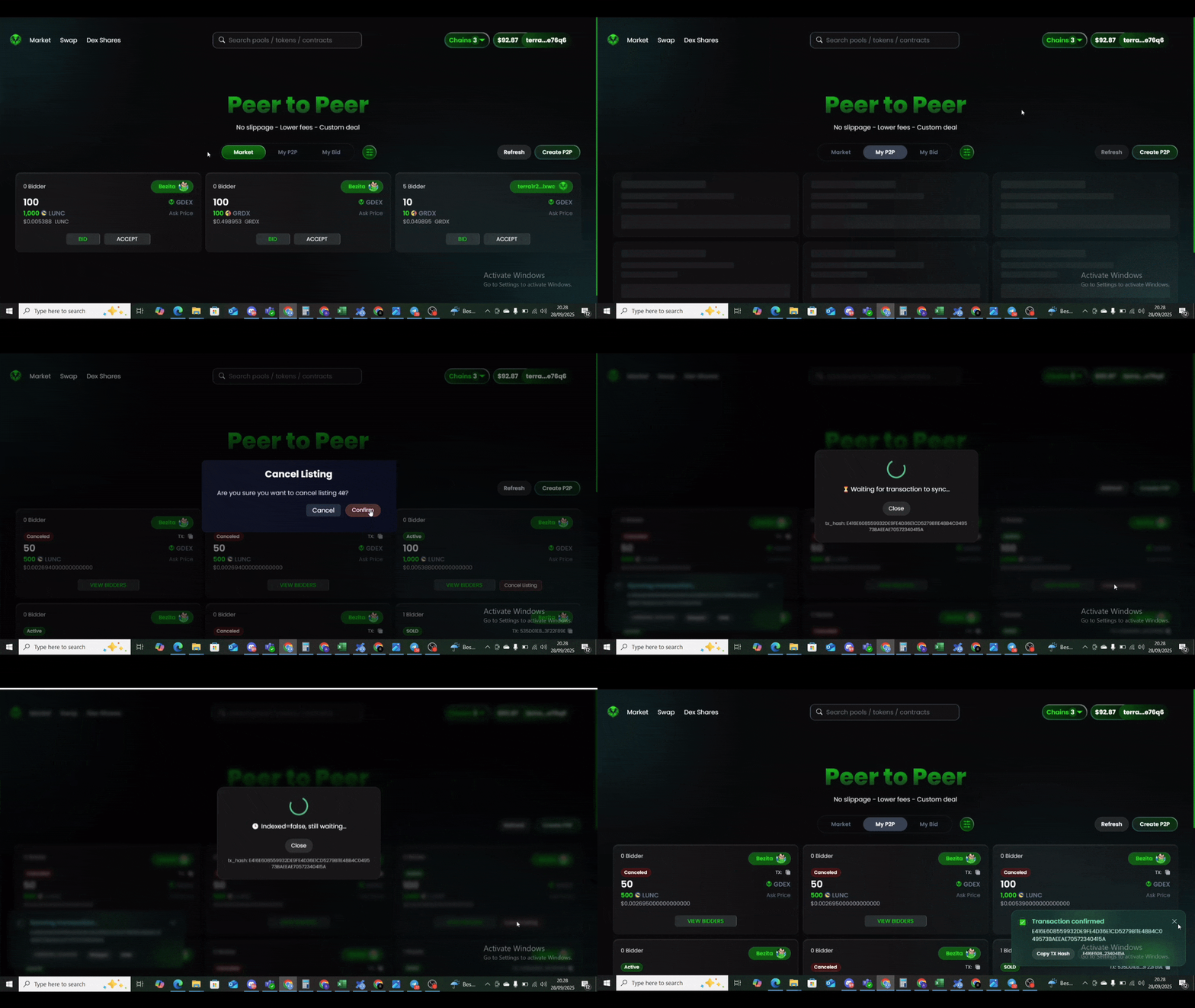
## Canceling a P2P Listing
Each P2P listing has a non-refundable fee of 2.5 GRDX. P2P user listings can cancelled anytime, however. No additional fees are charged, only standard blockchain gas fees apply.
1. Go to the [P2P page](https://garuda-defi.org/market/p2p)
2. Click on "**My P2P"**
3. Find the P2P you want to cancel, then click **"Cancel Listing"** and execute
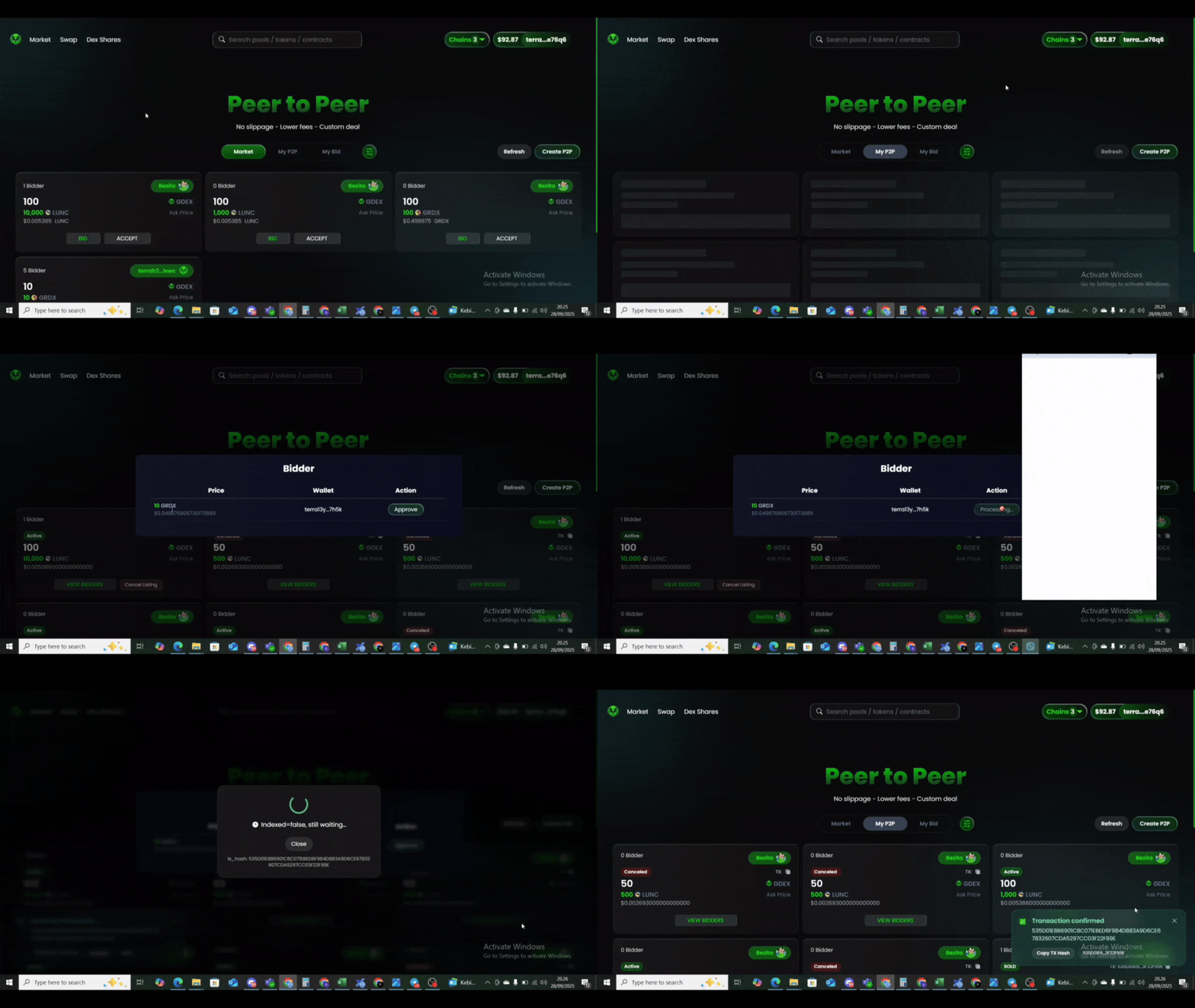
## Approving a Bid
Once your P2P is listed, you can approve any bid at any time.
1. Go to the [P2P page](https://garuda-defi.org/market/p2p)
2. Click on "**My P2P"**
3. Find your listing, select the bidder you want to approve, then click **"Approve"** to execute
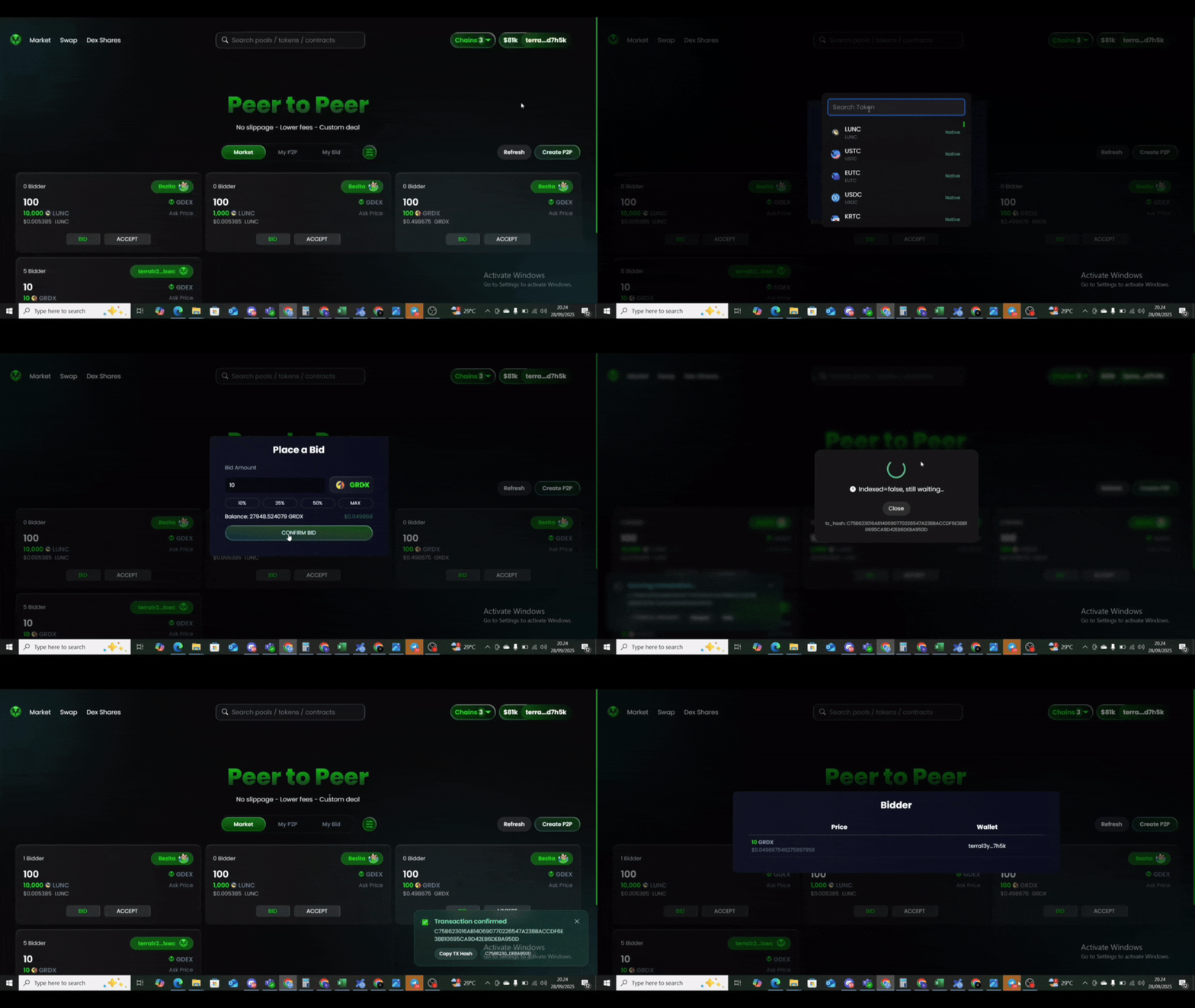
## Bidding on a P2P Listing
You can place a bid on any P2P listing using any supported token as payment.
1. On the selected P2P listing, click **"BID"**
2. Choose the token and amount you want to use
3. Confirm and execute your bid

.gif?alt=media&token=eee5b9f4-8d74-45a2-bd42-8734784a4415)